The 6690q App: Install It on Android and Start Playing
The 6690q app is the 52 MB Android build of the site. Slots, Crash titles, cricket markets and live dealer tables sit in one lobby, and it runs on Android 8.0 or newer. Tap Download APK, allow the install, then sign in with the same number and password you use on the website.
File 6690q.apk · 52 MB · version 2.6.5 · free. On a phone right now? The QR code below opens the same file.
- APK size
- 52 MB
- Games in the lobby
- 3,300
- Smallest deposit
- ৳250
- Withdrawal time
- 45 min
Two ways to get the file: tap or scan
Both routes end at the same package. Use the button if you are reading this on the Android phone you will play on, or scan the code to send the link across from a laptop.
6690q.apk, served straight from this page
The file is 52 MB and installs like any side-loaded Android package. Nothing else is bundled with it: no extra browser toolbar, no second app. When an update ships, you come back here and install the newer build over the old one.
- Version 2.6.5, updated 12 November 2026, free to download.
- Works alongside the website. Same login, same wallet, same bonus progress.
- Deposits from ৳250 through bKash, Nagad, Rocket or bank transfer.
App details before you install
Read this row by row on the phone itself. If your Android build is older than 8.0, stay on the mobile browser instead of forcing the package.
| Item | Detail |
|---|---|
| Version | 2.6.5 |
| File size | 52 MB |
| Minimum Android | 8.0 |
| Last update | 12 November 2026 |
| Price | Free |
| Languages | English, Bangla |
| Install source | Direct from 6690q.org as 6690q.apk, not from a store listing |
| Cashier inside the app | bKash, Nagad, Rocket, Bank Transfer |
| Deposit and payout speed | Deposits about 1 minute; withdrawals quoted at 45 minutes |
| Support | 24/7 Live Chat, opened from the app menu |
Installing the 6690q APK on Android in five steps
Android blocks files from outside the Play Store until you allow it. You do that once per browser, then updates take two taps.
-
1
Download the file first
Tap Download APK on this page and let 6690q.apk finish. It is 52 MB, so stay on Wi-Fi if your data pack is tight. A half-saved file is the most common reason an install fails.
-
2
Allow this install source
Open Settings, then Apps, then Special access, then Install unknown apps. Choose the browser you downloaded with, such as Chrome, and switch on Allow from this source. Android 8.0 and later remember it.
-
3
Open the package and install
Pull down the notification shade and tap 6690q.apk, or open Files and then Downloads. Tap Install, read the permission list, and confirm. Unpacking is quick on a mid-range phone.
-
4
Log in with your usual details
Tap the 6690q icon on your home screen and sign in with the mobile number and password you already use. No account yet? Open the register page first, then come back.
-
5
Fund the wallet, set a limit
The cashier takes bKash, Nagad, Rocket and bank transfer. Deposits start at ৳250 and arrive in about a minute. Withdrawals are quoted at 45 minutes once KYC is approved.
On iPhone: skip the APK and add the site to your home screen
- Open Safari and go to 6690q.org. The APK is Android-only, so an iPhone will not install it.
- Tap the Share button in the Safari toolbar.
- Scroll the share sheet and choose Add to Home Screen.
- Give the shortcut a name, tap Add, then log in with the same account details from the login page.
Permissions and safety, explained plainly
Android shows a permission list before it installs any APK. Here is what this build asks for, and how to spot a copy that someone has edited.
Storage and files
The app asks for file access so it can save its own update package and any screenshot you attach to a support chat. It does not scan your gallery, contacts or messages in the background.
Notifications
Notifications bring match reminders, deposit confirmations and withdrawal updates. Mute any category in the app settings if the alerts are too frequent. Login, cashier and support keep working either way.
Where the file comes from
The APK is served from 6690q.org over HTTPS. Check the address bar before you tap the button. Files passed around Facebook groups or forwarded on WhatsApp are not from this site and may be edited.
What a clean install never asks for
A genuine 6690q app does not request SMS reading, call logs, device administrator rights or accessibility control. If an installer demands those, cancel it, uninstall the app, and download again from this page.
What the 6690q app does better on a phone
The app is not a different product. It is the same account arranged for one hand, one thumb and a smaller screen.
Cricket coupons without zooming
BPL, IPL and international fixtures sit in the same list as casino tiles. Pick a market, tap a price, and the bet slip keeps your stake and possible return visible before you confirm it.
A cashier built around bKash
Deposits begin at ৳250 and land in about a minute through bKash, Nagad or Rocket. The cashier remembers the wallet you used last, so a repeat top-up is a two-tap job at half time.
Lighter on a small data pack
The package is 52 MB and the lobby loads covers only as you scroll. On a slow connection, a compact view in the settings trims the artwork and keeps the game names readable.
Session tools that travel with you
Set a daily deposit cap, start a cool-off period, or log out of every device from the menu. Limits sit on the account, so they also hold next time you open the site on a laptop.
Live dealers on a small screen
Ezugi and Playtech tables stream inside the app: roulette, blackjack and game-show style wheels. Turn the phone sideways for a wider felt view, and the stream drops quality on weak Wi-Fi.
Support over the lobby
Live chat runs 24/7 and opens as a panel on top of whatever you are doing, so your bet slip stays put while an agent checks a pending withdrawal or a KYC document upload.
Slots, cricket and live tables in your pocket
Open the casino lobby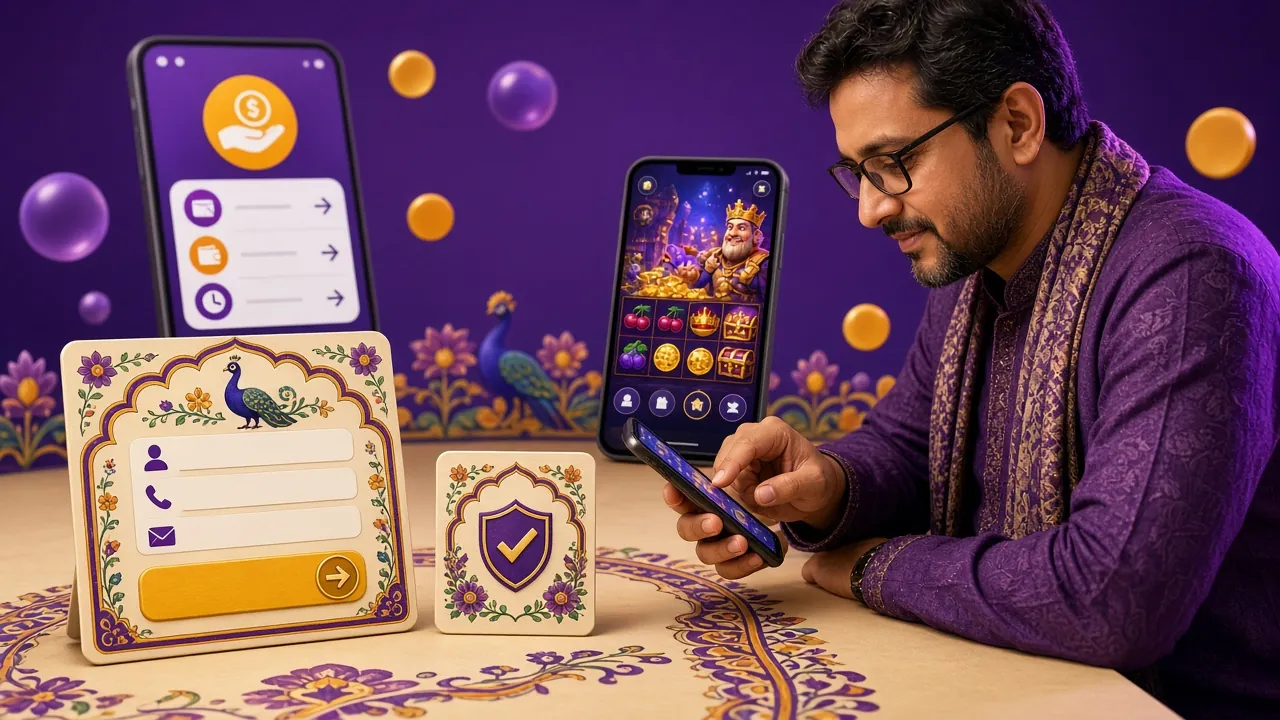
Around 3,300 titles come from KA Gaming, CQ9, Ezugi, JDB, Playtech and Spribe. Bets inside the app start as low as ৳1 on some fishing and lottery titles, and every game uses the same wallet as the website.


The 6690q app next to the mobile browser
Both doors lead to the same account and the same wallet. The choice comes down to how often you play and what your phone can hold.
| Point | 6690q app | Mobile browser |
|---|---|---|
| Opening the lobby | Home screen icon, tiles cached after the first visit | Fresh page load each session |
| Data use | Lower after install, covers load as you scroll | Higher, page assets reload more often |
| Match alerts | Optional notifications for cricket and cashier events | Not available |
| Cashier | bKash, Nagad, Rocket, bank transfer | The same four methods |
| Live chat | Panel over the lobby, bet slip stays open | Opens in a separate tab |
| Updates | Manual APK install from this page | Automatic with the site |
| Phone storage | 52 MB plus cached artwork | Nothing stored beyond browser cache |
| Best fit | Daily players on Android 8.0 and newer | Quick bets and all iPhone users |
When the install goes wrong
Five failures cover almost every message we see in live chat. Work down the table before you download the file a third time.
| What you see | Likely cause | What to do |
|---|---|---|
| App not installed | A half-downloaded or older APK with the same name is still in Downloads. | Delete 6690q.apk, download again on Wi-Fi, and install the fresh copy. |
| Play Protect warning | Android flags any package installed outside the Play Store by default. | Tap More details, then Install anyway. Stop if the warning names an unfamiliar publisher. |
| Install button greyed out | The browser lacks install permission, or free storage is below 52 MB. | Allow installs for that browser, clear space, then reopen the downloaded file. |
| Login rejected after install | Password typed wrong, or registration was never finished on the website. | Reset the password on the login page, or complete sign-up, then try again. |
| App closes on open | Android is older than 8.0, or an interrupted update left mixed files behind. | Check Settings and About phone, then uninstall and install build 2.6.5 cleanly. |
App questions players send to live chat
1 Is the 6690q APK safe to install?
Use the file from this page and nothing else. It is served over HTTPS from 6690q.org and opens the account you already use on the website. Android warns you because the package does not come from the Play Store, and that warning covers every side-loaded app. Copies shared in groups or forwarded messages may be edited, so delete those.
2 Why does Android block the file the first time?
From Android 8.0 onwards, the system treats apps installed outside the Play Store as unknown sources. You allow it once per browser through Settings, Apps, Special access, Install unknown apps. After that the switch stays on, and installing a 6690q update takes two taps without another prompt.
3 Do I lose my balance if I install the app?
No. The app is a second door into one account, so your balance, bet history, bonus progress and KYC status are already there the moment you log in. Nothing is copied onto the phone. If you uninstall the APK later, the account stays exactly as it was on the website.
4 How do I update to the newest build?
Compare the version row on this page with the build on your phone. When a newer one appears, download the APK here and install it straight over the old copy. Your login and balance stay in place because Android keeps the app data. Delete the previous download first so two files cannot be confused.
5 Can I install the 6690q app on an iPhone?
There is no iOS package. iPhone players use the website and add it to the home screen: open Safari, tap Share, then Add to Home Screen. It opens without the browser bars and works with the same login and cashier. Push notifications, however, stay unavailable on that shortcut.
6 Which Android version do I need, and how much space?
The current build is 2.6.5, needs Android 8.0 or newer, and weighs 52 MB. Leave a little extra room for cached game covers and future updates. If your phone is already showing a storage warning, clear old downloads and chat files before you start the install.
7 Can I bet on cricket and play slots in the same app?
Yes. The lobby keeps slots, fishing titles, Crash style games and live dealer tables next to cricket and football markets. One wallet covers both, so a deposit from ৳250 through bKash or Nagad works wherever you go in the app, and winnings land in the same balance.
Still stuck on a step? Live chat runs 24/7 from the app menu or the website, and the FAQ page covers account, deposit and withdrawal basics.
The download on this page is served over HTTPS and the app connects only to 6690q.org. Your NID, passport or driving licence is requested once, before your first withdrawal, and reviewed within 2 hours. Details of how long records are kept are in the Privacy Policy.